Why your rank tracker and Search Console disagree
Search Console averages your top spot across searches that showed you; a tracker checks one place on a schedule. Why they differ and when to keep paying.

Short on time?
Short on time? Here's my take.
- What real searchers saw
- Search Console
- Your top spot, averaged across every search that showed you. Use it for trends, clicks and impact.
- One place, one device, competitors
- Your rank tracker
- One fixed check per keyword, including keywords where you have no impressions yet.
- One country, a few dozen keywords, no clients
- Search Console alone
- It's free and covers this. Cancel the tracker.
- Cheapest tracker for one country
- Mangools Basic
- $37.70 a month billed yearly, 200 keywords checked weekly (verified 17 Nov 2026). For one city, see the local row in my picks table.
- Daily checks on a few thousand keywords
- SE Ranking Core
- $129 a month, or $103.20 billed annually, 2,000 keywords checked daily (verified 17 Nov 2026).
Prices verified . Google's rules from its Search Console help pages; prices from vendor pages, verified 17 Nov 2026. No vendor paid to be included, and sponsors can't buy a verdict.
Say your tracker shows a keyword at 4 and Search Console shows 6.4, and you’re paying for the tracker. Usually both numbers are right, because they average different searches.
I read six Google help pages, three trackers’ help docs and the reports on Google’s September 2025 change to show where the gap comes from, how to line the two up, and when a tracker earns its fee. For the trackers themselves, start at the rank trackers hub.
What is Search Console’s position number? #
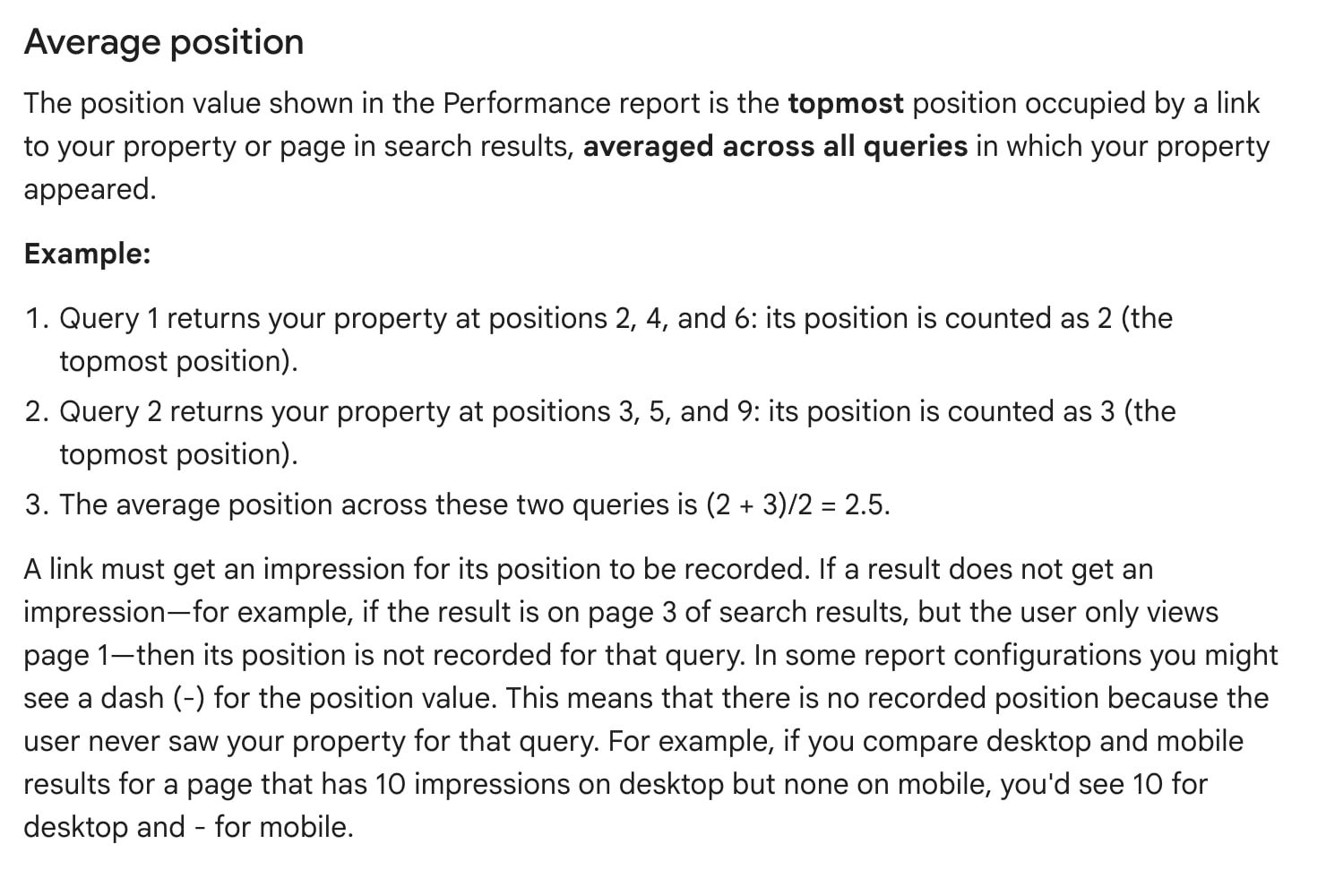
It’s the highest spot any link to your site reached for a query, averaged across all the queries you appeared for. If nobody saw your result, there’s no position at all.
In Google’s words, position is “the topmost position occupied by a link to your property”, “averaged across all queries in which your property appeared” (Search Console help). Its own example: for Query 1 your links show at 2, 4 and 6, so it counts 2; for Query 2 they show at 3, 5 and 9, so it counts 3. The average is 2.5.
Advanced Web Ranking’s help page retells that example as two days rather than two queries (AWR help). Google’s page says queries, and that’s the rule I’d go by. The same page’s short definition says it “averages the position value for all impressions”, which is another reason to filter to one query before you compare anything.
Three more rules from that page explain most surprises:
- No impression, no position. “A link must get an impression for its position to be recorded.” If a searcher only looks at page 1, your page-3 result isn’t counted.
- Seen on the page is enough. An impression counts when your result “appears in the current page of results, whether or not the item is scrolled into view”. Carousel items are the exception: they have to be scrolled into view.
- Features share one spot. In a search feature, “all links in the element occupy the same position”, and that includes every link in an AI Overview.
The view you pick changes the number too. By property, “All results for the same query that point to the same Search Console property are counted once in total”; by page, “Each unique URL in a Search result is counted separately” (how data is aggregated). And “Most performance data in this report is assigned to the page’s canonical URL” (report dimensions).
What does your rank tracker measure? #
One search, for the exact keyword you entered, from the place and device you set, at the moment the check ran. It’s a snapshot, not an average.
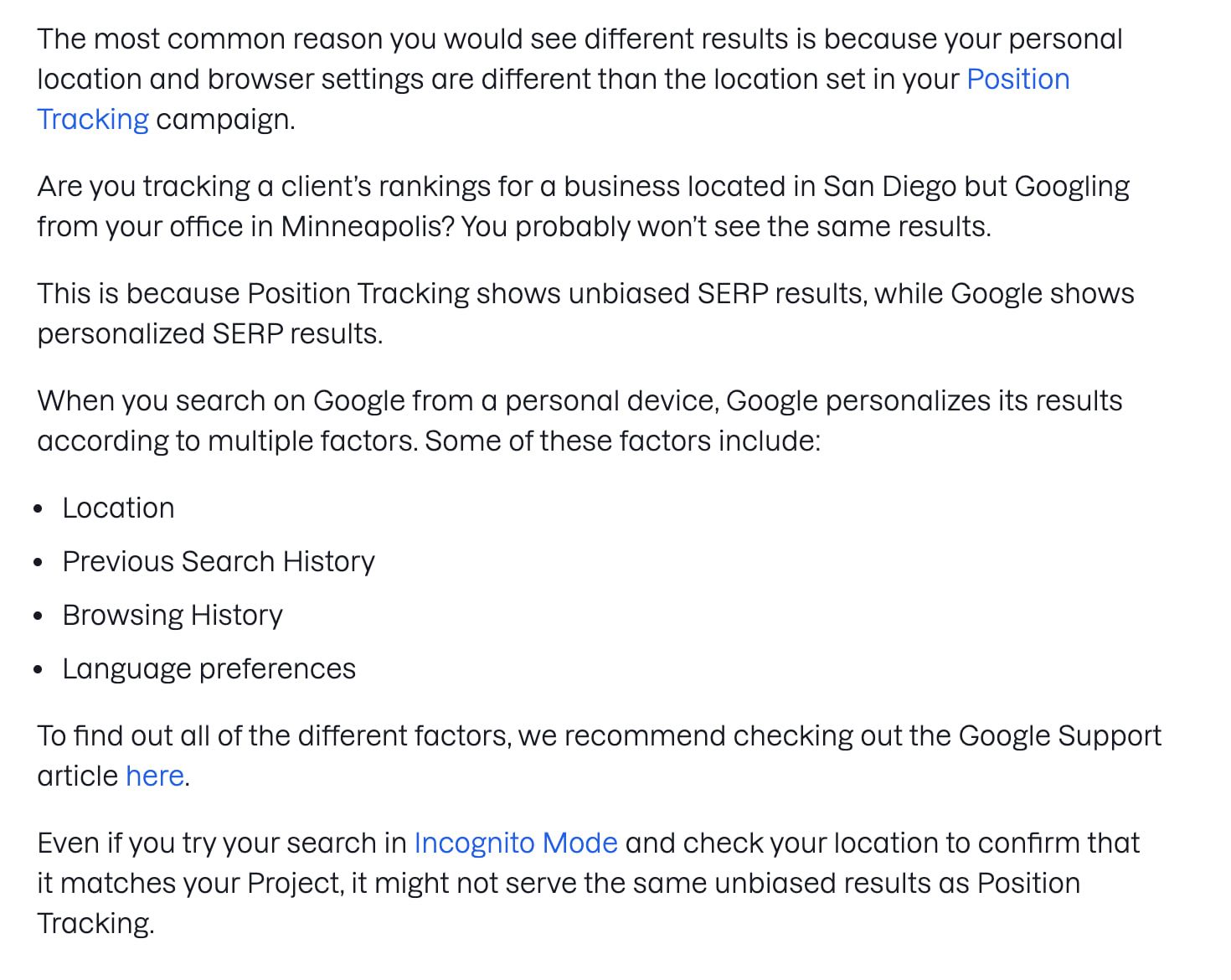
Semrush’s help says Position Tracking “shows unbiased SERP results, while Google shows personalized SERP results”, that “different zip codes in the same city will serve different results”, and that results “can change many times over a given day”; its data updates “every 24-48 hours” (Semrush KB). Advanced Web Ranking says its tool shows the results page “at the moment each update runs” (AWR help).
Semrush names the “most common reason” its numbers differ from what you see in Google: “your personal location and browser settings are different than the location set in your Position Tracking campaign”. Google says the same thing from its side: “Search results are specific to the time, place, device, and recent history of the person searching” (Search Console help).
A tracker also reports a position whether or not anyone searched that keyword in that place. Search Console can’t, because it only records positions where a real person saw you.
Why do the two numbers differ? #
Because they average different searches: different places, devices, query wordings, pages and dates. Any one row in this table is enough to move the number on its own.
| What differs | Search Console | Rank tracker |
|---|---|---|
| What's averaged | Your topmost position, averaged across queries | One check per keyword per update |
| No searcher | No impression, no position | Reports a position anyway |
| Location | Country the search came from | The place you set, down to a zip code |
| Device | Desktop, tablet and mobile together unless filtered | The device you set |
| Query wording | What people typed; rare queries hidden | Only the keyword you entered |
| Page | Mostly the canonical URL; property view counts one result per query | The URL the tool matched |
| Search features | Every link in a feature shares one position | The tool's own rule |
| Timing | Usually 2–3 days behind; dates in Pacific Time | Every 24–48 hours (Semrush), or a snapshot at run time |
Source: Google Search Console help pages, Semrush, Advanced Web Ranking and AgencyAnalytics help, verified 17 Nov 2026. Scroll sideways for more columns.
Location. Search Console’s country is “the country where the search originated”, and that’s as fine as it gets: there’s no city (report dimensions). A tracker can pin a zip code (Semrush KB), which matters most for local businesses.
Device. Search Console splits desktop, tablet and mobile, but the default view blends them. Your tracker checks the one device you chose, so compare like with like.
Query wording. Search Console records what people actually typed, and “Some queries are omitted from the report to protect user privacy” (same page). The table shows at most 1,000 rows (discrepancies help), and Google says it “stores top data rows and not all data rows” (data help). Your tracker checks only the keyword you typed.
Page. Most data goes to the canonical URL. If your tracker matched a different version of the page, you’re comparing two pages.
Search features. Google gives every link in a feature the same position. Trackers set their own rules: AgencyAnalytics counts the Map Pack (if enabled), featured snippets and sitelinks as organic, gives People Also Ask its own position, and with a sitelink at 9 and a normal result at 3 shows 3 (AgencyAnalytics help). I couldn’t find the rule for Ahrefs, SE Ranking or Mangools.
Timing. “Collected data is usually available in 2–3 days”, and Search Console dates are in Pacific Time (discrepancies help); the newest data is “sometimes preliminary” (aggregation help). Even the vendors agree; Morningscore, which sells a tracker, writes that Search Console “provides data first a couple of days after they have gathered it” (Morningscore).
Search Console can even disagree with itself. Chart and table are aggregated differently, and anonymized results are left out of the table but counted in the chart totals unless you filter by query (discrepancies help). Google’s line: “The chart totals can sometimes differ from the table totals” (Performance report help).
What happened in September 2025? #
Google stopped showing 100 results on a single page. Trackers broke, and many sites then saw desktop impressions fall and average position improve in Search Console.
Search Engine Roundtable reported on 12 September 2025 that Google “seems to be testing dropping the ability to see 100 search results on a single page”, then that “This fully stopped working”, and that it “broke most Google trackers”.
Three days later Brodie Clark reported, “I’m seeing a noticeable decline in desktop impressions, resulting in a sharp increase in average position”, “across many accounts”, starting 10 September (Search Engine Journal; Search Engine Roundtable).
Why would position look better? Locomotive gave a hypothetical: 100 real impressions at position 8 plus 500 impressions from bots at position 67 average out to 57.2; take the bots away and you’re at 8 (Locomotive). That’s an illustration, not measured data, and the cause is the industry’s theory. Seobility describes the same effect: “Reported impressions have dropped, while average position values appear artificially improved.”
Google didn’t comment publicly in any report I could read. On 30 October 2026, Clark said “Google seems to have brought back the ability to use num=100 in some capacity”, though Search Engine Roundtable couldn’t reproduce it (SER).
What it means for you: don’t compare Search Console impressions or average position across 10 September 2025 without marking that date. A better position after it isn’t proof you climbed.
Which number should you trust? #
Search Console for what real searchers saw. The tracker for one fixed market, for keywords where you have no impressions yet, and for competitors.
Competitors are the clearest split. As rgb.ir, which sells a tracker, puts it, “Search Console only shows data for your own site” (rgb.ir). Positions for anyone else only come from a tracker.
My rule: judge impact from Search Console clicks and impressions, and use the tracker to diagnose which keyword, place or device moved. If both move in the same direction, believe it. If only the tracker moves, check it before you tell anyone.
Some gaps are temporary rather than built in. During the November 2026 core update, a logging error and swapped tracker results both distorted numbers for a while; I cover those in what else is messing with your numbers. Search Console’s separate count of AI Overview and AI Mode impressions is explained in what Search Console’s AI report shows.
How do you line them up? #
Match the query, page, country, device and dates, and only then compare. This is how I’d check, based on Google’s help pages; I haven’t run it on a live property.
- Exact query. Filter Search Console to the exact keyword your tracker uses, not “contains”.
- Same page. Filter to the URL your tracker reports, and check it’s the canonical version.
- Same country. Set the country to match the tracker’s location. If the tracker is set to a city, accept that Search Console can’t go finer.
- One device at a time. Compare desktop with desktop and mobile with mobile.
- Same dates. Allow for the 2–3 day lag, and remember Search Console days run on Pacific Time.
- Page view, not property. If two of your URLs show for the keyword, the property view counts one result; use the page view.
- No impressions? Then the tracker is your only number. Before you report a drop at position 9 or below, check whether it’s a junk result.
If the numbers still differ by a few places after all seven, that’s normal: one is an average of many real searches, the other is a single check.
Should you keep paying for the tracker? #
Cancel it if you target one country, follow a few dozen keywords and have no clients to report to: Search Console covers that for free. Keep one if you need cities, competitors, page-2 keywords or client reports.
For keywords in one country, two trackers set the floor and the step up; for a single city, use the local row in the table below. Mangools Basic is $37.70 a month billed yearly ($452.40 a year) for 200 keywords checked weekly; Premium is $52.70 for 700 weekly and Agency $97.70 for 1,500 daily (Mangools, verified 17 Nov 2026). The page I read showed yearly billing only.
SE Ranking Core is $129 a month, or $103.20 billed annually, for 2,000 keywords checked daily; Growth is $279 ($223.20 billed annually) for 5,000 (SE Ranking, verified 17 Nov 2026).
| Your situation | My pick | Why |
|---|---|---|
| One country, a few dozen keywords, no clients | Search Console alone | It shows real searchers' positions, clicks and impressions for free |
| A few hundred keywords in one country, checked weekly | Mangools Basic | The cheapest plan I read, at 200 keywords a week; Search Console still gives you the clicks |
| Local business that cares about one city | A tracker set to your zip code, such as Semrush Position Tracking | Search Console stops at country, and Semrush notes that zip codes in one city can see different results |
| Agency or client reporting | SE Ranking Core | Daily checks on 2,000 keywords, each from a place and device you fix |
| New pages with no impressions yet | A tracker | Search Console has no position until someone sees you |
Source: My picks, based on Google's Search Console help, Semrush's help and Mangools and SE Ranking pricing pages, verified 17 Nov 2026. Scroll sideways for more columns.
For what each tracker plan really buys, rank tracker pricing explained breaks down the units, and Mangools vs SE Ranking compares the two named here. For two more daily trackers, see Nightwatch vs AccuRanker. If you’re stuck between weekly and daily checks, what switching to daily tracking costs prices the step up. If you’re moving tools, how to switch rank trackers without losing your history covers the imports.
My one rule: pay for a tracker only for a question Search Console can’t answer, such as a city, a competitor or a keyword you don’t rank for yet. When you do pay, the cheapest rank tracker for your list compares 17 plans.
FAQ
Why is my Search Console position lower than my rank tracker's?
Because Search Console averages the highest spot any of your links reached across every query, country and device where you got an impression, while your tracker checks one keyword from one place and device. A few deep impressions on long-tail queries or mobile searches can pull the average down.
Does Search Console count positions on page 2?
Only when your result got an impression. Google says 'A link must get an impression for its position to be recorded', and an impression counts when your result appears on the page of results the searcher is viewing, scrolled into view or not.
Does Search Console show rankings by city?
No. Its location dimension is the country where the search came from. If you need a city or zip code, you need a tracker; Semrush, for example, notes that different zip codes in the same city can see different results.
Why did impressions drop and position improve in September 2025?
Around 10 September 2025 Google stopped showing 100 results on one page, which Search Engine Roundtable said broke most Google trackers. Many sites then saw fewer desktop impressions and a better average position. Google hadn't commented in the reports I read.
Which is more accurate, Search Console or a rank tracker?
They answer different questions. Search Console shows what real searchers saw, averaged. A tracker shows one search from a fixed place and device, including keywords where you have no impressions yet and your competitors' positions.
Do featured snippets count as position 1?
In Search Console every link in a search feature shares one position, AI Overview links included. Trackers set their own rules: AgencyAnalytics counts featured snippets and sitelinks as organic but gives People Also Ask its own position.
Sources
19 sources, accessed .
Official pricing, docs, changelogs and status pages 11
- Search Console help: how clicks, impressions and position are counted
- Search Console help: how Performance data is aggregated
- Search Console help: Performance report dimensions
- Search Console help: data discrepancies between Search Console and other tools
- Search Console help: why data may differ from other tools
- Search Console help: Performance report for Search
- Semrush knowledge base: why Position Tracking differs from what you see
- Advanced Web Ranking help: why ranking results may vary
- AgencyAnalytics help: SERP features in its rank tracker
- Mangools: plans and pricing
- SE Ranking: plans and tracked keywords
News and press 4
Other blogs 4
Last updated: 17 November 2026. Facts verified 17 Nov 2026. Researched and drafted with AI tools; owner review is pending.


