Does the AI Mode sidebar change your rank tracking?
AI Mode has temporary threads, a thread sidebar and no model label. What's confirmed, what isn't, and five questions to ask your rank tracker.

Short on time?
Short on time? Here's what I would do.
- You track AI Mode with single prompts
- Keep doing it, and annotate 16 and 19 Nov
- A shift in your charts around those dates shouldn't be read as a data error.
- You report to clients
- Say follow-ups count as new queries
- That's Google's Search Console rule. Ask your vendor the five questions below before promising multi-turn coverage.
- You're thinking of switching tools
- Don't, on this news alone
- Nothing I read shows the sidebar changes what trackers record.
Prices verified . Facts verified 23 Nov 2026. No vendor paid to be included, and sponsors can't buy a verdict.
Three AI Mode changes landed in four days, 16 to 19 November. One is on a Google page; the other two reach me through Search Engine Roundtable quoting Google staff. I read them against Google’s own Search Console counting rules to see what, if anything, a rank tracker needs to change.
What changed in AI Mode this week? #
Three things, and only the middle one is on a Google page. Search Engine Roundtable (SER) reported the model label gone from the header on 16 November, Google’s blog announced temporary threads rolling out globally on 17 November, and SER reported Robby Stein’s desktop thread sidebar on 19 November.
- Model label (secondary): per Search Engine Roundtable, the header now says only “AI Mode”. It quotes Rajan Patel, a Search engineering VP: “Intended, but we’re thinking through the right way to bring back an indicator for your selected model.” For the model timeline, see Gemini 4 Hydrogen in AI Mode.
- Temporary threads (primary): Google’s blog, covered below.
- Sidebar (secondary): as SER reports it, Stein wrote “we’re rolling out a collapsible sidebar” so people can “easily find & jump back into your recent AI searches”. I found no Google blog or help page for it and didn’t open his post.
Aggregators such as Crypto Briefing add that the sidebar offers a new thread, thread search and a Gemini Notebook connection. Stein shared no test data, Let’s Data Science says.
SER had earlier reported a test of a left sidebar on the main results page, on 14 October.
What do temporary threads do? #
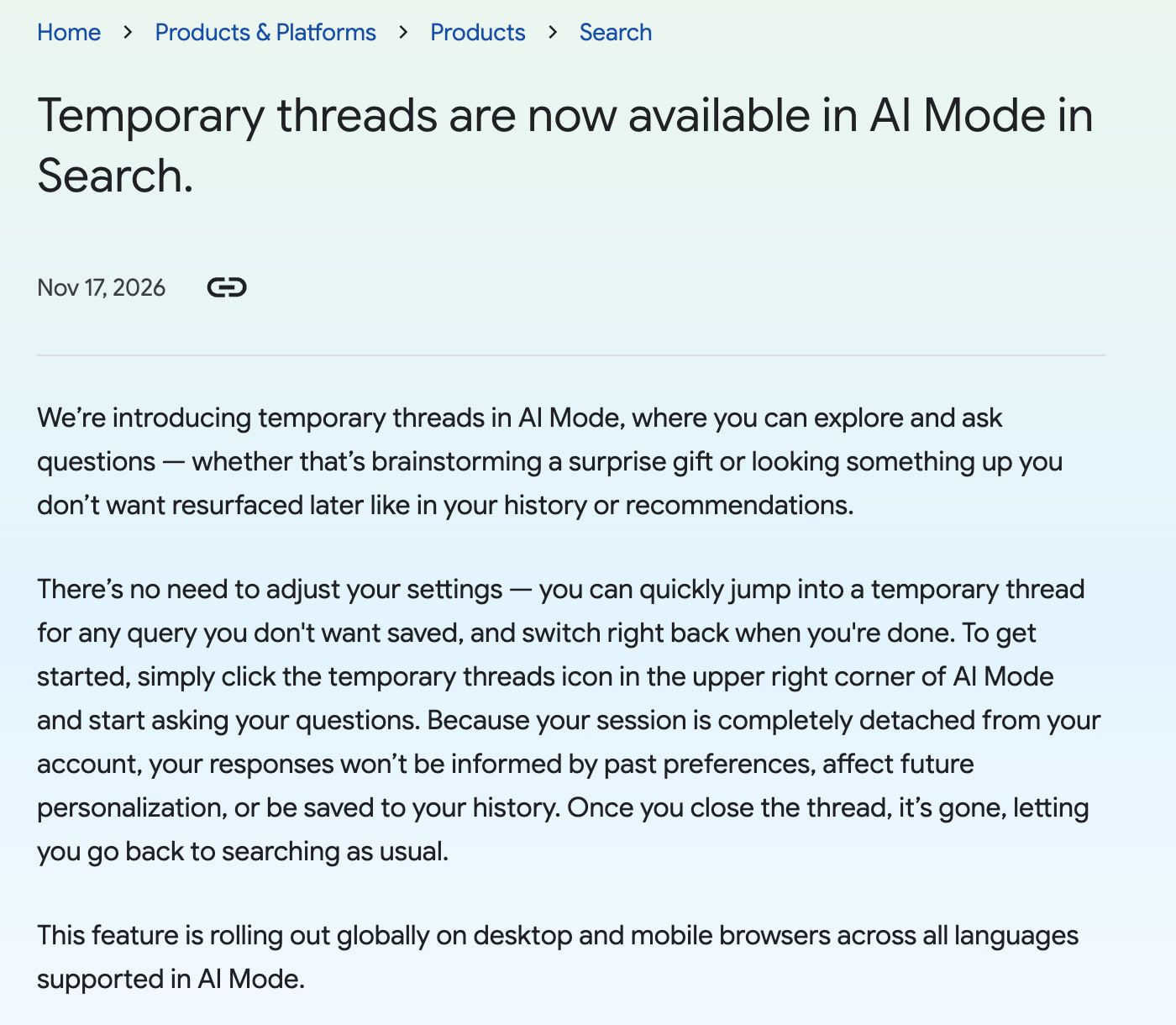
Google says each one is “completely detached from your account”, isn’t “saved to your history”, and “Once you close the thread, it’s gone.” You start one from the temporary-threads icon at the upper right of AI Mode, and Google says “There’s no need to adjust your settings.”
Responses aren’t shaped by your past activity, so they don’t “affect future personalization”. Google’s post says it’s rolling out globally on desktop and mobile browsers in all languages AI Mode supports. Neither Google’s post nor TechCrunch’s report on 18 November states a retention or deletion window, and I’m not giving one.
Saved AI Mode history already existed. Google’s history help lists “Generative AI responses in AI Mode or Ask Maps” among saved activity and says it lets you “resume a prior conversation”. 9to5Google reported a “Search threads” bar back in July. The same help page says Web & App Activity still controls history for Search services, but I found no page saying the sidebar needs it.
Does a follow-up count as a new search? #
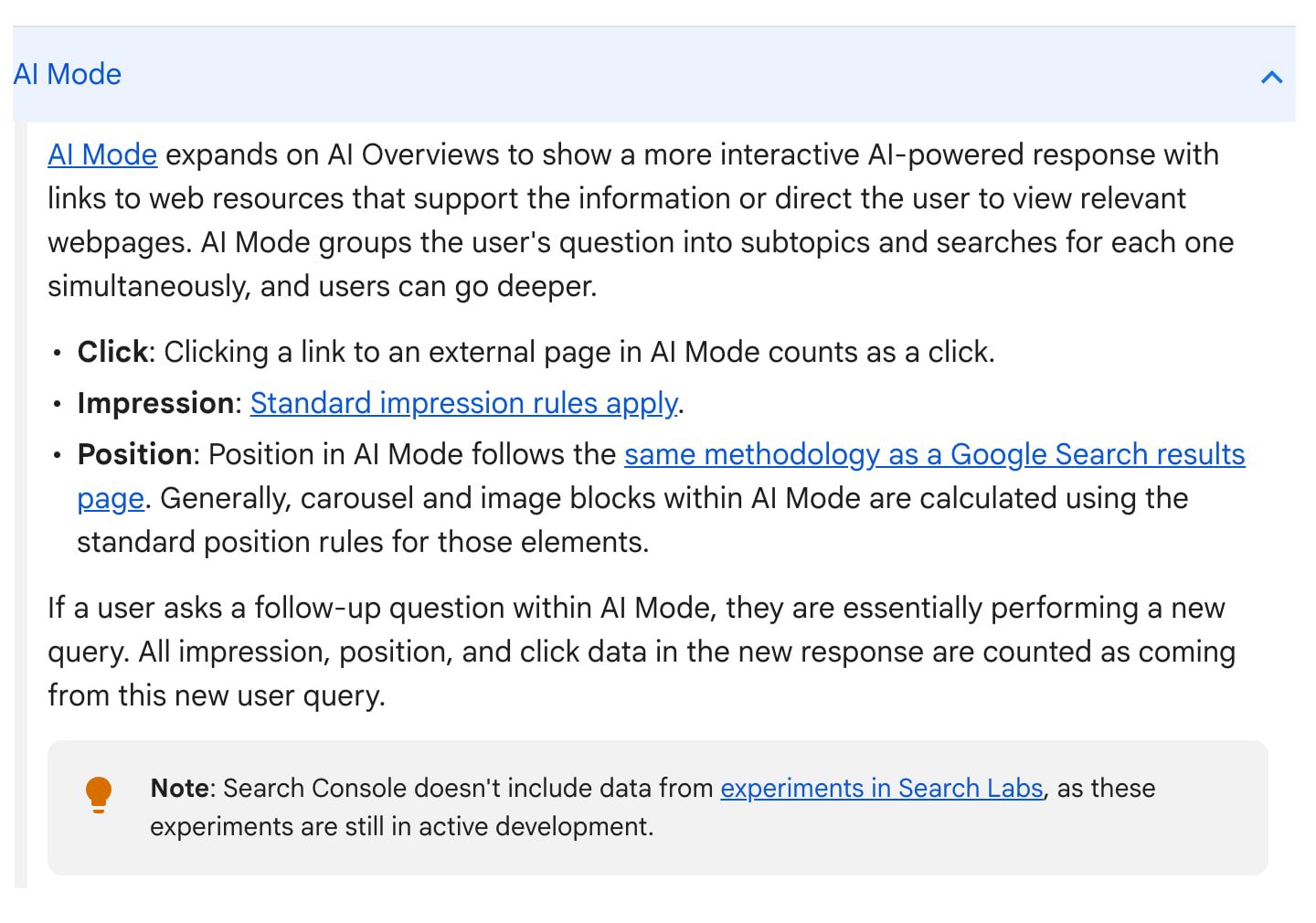
In Search Console, yes. Google’s help page says “If a user asks a follow-up question within AI Mode, they are essentially performing a new query”, and the data in the new response counts against that query.
The same page says clicking an external link in AI Mode “counts as a click” and that position “follows the same methodology as a Google Search results page”. Google’s AI features page says AI Mode counts toward the overall Web search data. The June generative AI report post names AI Mode and AI Overviews but doesn’t say whether the report splits them. For the full comparison, see AI Mode vs AI Overviews.
Does the sidebar change what trackers record? #
I found nothing saying it does. That is my inference, not a finding: the sidebar looks like a way back to your recent AI Mode threads, and I saw no source saying it alters what a fresh prompt returns.
I opened no tracker documentation, so I can’t tell you which trackers capture follow-ups. The model label is the one thing I’d check, because if a report relied on the header to say which model answered, SER’s report is that it’s gone. My comparison of which trackers cover AI Mode is the place to start, and rank trackers vs Search Console covers why the two disagree.
| Date (2026) | Change | Source |
|---|---|---|
| 14 Oct (updated 30 Oct) | Left-sidebar test on the main results page, spotted by Damien Andell | News (SER) |
| 16 Nov (SER report date) | AI Mode header drops the model label; Patel: "Intended" | News (SER quoting Patel) |
| 17 Nov | Temporary threads, rolling out globally on desktop and mobile browsers | Google's blog |
| 19 Nov | Collapsible desktop sidebar announced as global | News (SER quoting Stein) |
Source: Search Engine Roundtable, Google blog. Verified 23 Nov 2026. Scroll sideways for more columns.
What should you ask your tracker vendor? #
These are my questions, not findings. I found no vendor statement on any of them, and the sign-in question links to a separate wrinkle in Google’s sign-in wall and rank trackers.
| Ask | Why it matters |
|---|---|
| Do you run follow-ups in the same thread, or only the first prompt? | Google counts each follow-up as its own query, so a first-prompt-only tracker covers part of the picture |
| How do you record which model answered now the label is gone? | A model change could otherwise look like a ranking change |
| Can I annotate 16 and 19 Nov on my charts? | So a shift isn't mistaken for a data error |
| Are checks run signed in or signed out? | Google's history help ties saved AI Mode activity to an account setting, so the state a check runs in is worth knowing |
| Do you keep the raw answer text? | It lets you compare before and after |
Source: My questions, drawn from Google's Search Console help and SER's reports. Not vendor statements. 23 Nov 2026. Scroll sideways for more columns.
What would I do this week? #
Change nothing about how you collect data, and write the dates down so a later wobble has an explanation.
- Annotate 16 and 19 November in your charts and client reports.
- Tell clients Google counts an AI Mode follow-up as a new query in Search Console.
- Send your vendor the five questions before you promise multi-turn coverage.
- Skip the tool switch. For other tracking decisions, my rank trackers hub is the place to start.
FAQ
What is the AI Mode sidebar?
A collapsible sidebar on the desktop Google homepage for finding and jumping back into your recent AI searches. Search Engine Roundtable reports Robby Stein announced it on 19 November as rolling out globally. I found no Google blog or help page for it.
What are temporary threads?
Google says a temporary thread is 'completely detached from your account', isn't saved to your history and is gone once you close it. Its blog dates the global rollout to 17 November.
Does the sidebar need Web & App Activity?
I couldn't verify that. Google's help page says history and personalized recommendations for Search services are still controlled by Web & App Activity, but no page I read ties the sidebar to it.
Did Google remove the Gemini model name from AI Mode?
Per Search Engine Roundtable's 16 November report, the AI Mode bar only says 'AI Mode' and doesn't say if you selected a specific Gemini model. It quotes Rajan Patel, a Search engineering VP, saying 'Intended' and that Google is thinking through how to bring back an indicator for your selected model.
Does a follow-up question count as a new query in Search Console?
Yes. Google's Search Console help says that if a user asks a follow-up in AI Mode, they are 'essentially performing a new query', and the data in the new response is counted against that query.
Do I need a new rank tracker?
I found no evidence that you do. I opened no tracker vendor's page, so ask yours how it handles follow-ups and which model answered before you pay for anything new.
Sources
13 sources, accessed .
Official pricing, docs, changelogs and status pages 5
News and press 5
- Search Engine Roundtable: Google Search rolls out collapsible sidebar, 19 Nov 2026
- Search Engine Roundtable: AI Mode left sidebar test, 14 Oct 2026 (updated 30 Oct)
- Search Engine Roundtable: AI Mode drops the Gemini label, 16 Nov 2026
- TechCrunch: AI Mode gets its own incognito mode, 18 Nov 2026
- 9to5Google: AI Mode chat history search, 13 Jul 2026
Last updated: 23 November 2026. Facts verified 23 Nov 2026. Researched and drafted with AI tools; owner review is pending.


